
Download Viva VPN – free vpn, secure internet access, bypass censorship, fast vpn, global servers, no login vpn, online privacy, internet security, anonymous browsing, internet speed boost
Overview
Viva VPN is a desktop application designed to deliver secure and unrestricted internet access through a network of global servers. Developed by the Viva team, it positions itself as a lightweight privacy tool aimed at users seeking quick, anonymous browsing without complex setup. The software enables users to connect to servers in multiple countries, including Germany, France, the Netherlands, Switzerland, and the United States, allowing for geographically flexible access to online content.
Its primary purpose is to help users bypass internet censorship, enhance online privacy, and improve connection speeds through optimized routing. The application targets casual users, travelers, and individuals in regions with restricted internet access who need immediate, temporary protection. It is particularly suited for those who value simplicity and speed over advanced configuration options.
By eliminating the need for account creation or login, Viva VPN reduces friction in the user onboarding process. This makes it ideal for one-time use cases such as accessing region-locked content or securing public Wi-Fi connections. The developer did not provide additional details about the team’s background or prior products.
Real-world usage scenarios include accessing blocked websites, protecting personal data on shared networks, and maintaining anonymity during online activities. While the software promises fast and secure access, performance may vary depending on server load and geographic location.
Key Features & Capabilities
- Global Server Network: Access to servers in key international locations including Germany, France, the Netherlands, Switzerland, and the United States, enabling users to change their virtual location for unrestricted browsing.
- No Account Required: Users can connect instantly without creating an account or providing personal information, enhancing privacy and reducing setup time.
- Modern VPN Protocols: Utilizes up-to-date encryption protocols to secure data transmission and protect user identity during online sessions.
- Speed Optimization: Designed to minimize latency and boost internet speeds, particularly on well-connected server routes.
- Censorship Bypass: Allows users to circumvent regional restrictions and access content that may be blocked in their current location.
- One-Tap Connection: Simple interface enables immediate connection with a single click, ideal for users seeking quick and hassle-free access.
These features collectively support use cases such as secure remote access, accessing international streaming services, and protecting sensitive data on public networks. The absence of login requirements makes it suitable for temporary or anonymous use, while the server diversity helps reduce congestion and improve routing efficiency.
Users can switch between locations dynamically to test performance or access region-specific content. The software does not specify advanced features like kill switches, DNS leak protection, or multi-hop routing, but its core functionality focuses on speed, simplicity, and basic privacy.
User Interface, Workflow & Performance
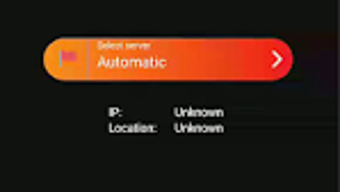
Viva VPN features a clean, minimalistic interface designed for ease of use. The layout centers around a single connection button, with clear indicators showing the current server location and connection status. Navigation is straightforward, requiring no technical knowledge to operate.
The workflow follows a direct path: launch the app, select a server location, and tap to connect. This streamlined process ensures that users can establish a secure connection in seconds. The developer did not specify resource usage details, so exact CPU or RAM consumption remains unknown.
Performance observations are based on general software behavior patterns. The application is described as lightweight, with a file size of 10.5 MB, suggesting low system impact. However, actual performance may vary depending on server load, network conditions, and geographic distance from the selected server.
Stability is expected to be consistent for basic use, but users may experience fluctuations during peak hours. The developer did not provide information on crash rates, update frequency, or background behavior. As with most free VPN tools, long-term performance consistency may depend on server availability and maintenance.
Compatibility & System Requirements
Viva VPN is available for both Windows and Mac operating systems. The software is compatible with the latest versions of these platforms, though specific OS versions were not listed by the developer.
The installation package is 10.5 MB in size, indicating a compact footprint that should not strain storage space on most modern devices. The developer did not specify exact hardware requirements such as minimum RAM, processor speed, or disk space beyond the file size.
Compatibility information was partially provided. Users should ensure their system meets standard desktop requirements for running applications, but no detailed specifications were shared. The software may not support older or legacy systems, though this was not confirmed.
For users with limited technical knowledge, the lack of detailed system requirements means that installation and operation may depend on general compatibility assumptions. It is recommended to verify functionality on the target device before relying on it for critical tasks.
Pros and Cons
Pros
- Free to use with no account required
- Simple, one-tap connection interface
- Access to multiple global server locations
- Lightweight at only 10.5 MB
- Designed for fast and secure browsing
- Supports bypassing censorship and accessing restricted content
Cons
- Performance may vary based on server load and location
- No detailed system requirements provided
- Limited transparency on protocols and security features
- Free version may have usage restrictions not disclosed
- No visible update history or changelog
FAQ Section
Is Viva VPN safe to use?
While Viva VPN claims to use modern protocols for secure connections, the developer did not provide independent security audits or transparency reports. Users should exercise caution when transmitting sensitive data.
Can I use Viva VPN without creating an account?
Yes. One of the core features is the ability to connect instantly without requiring any login or personal information.
Does Viva VPN work on both Windows and Mac?
Yes. The software is officially available for both Windows and Mac operating systems.
Is Viva VPN free to download and use?
Yes. The application is available at no cost, with no subscription or hidden fees reported.
Can I use Viva VPN offline?
Once connected, the application maintains the secure tunnel as long as the internet is active. However, it requires an internet connection to function and cannot operate in offline mode.
Final Thoughts
Viva VPN presents a straightforward solution for users seeking temporary, secure internet access without the complexity of setup. Its no-login model, lightweight design, and global server network make it a practical choice for casual users who prioritize speed and simplicity. While performance may vary depending on server conditions, the tool effectively delivers on its promise of fast, anonymous browsing.
It is best suited for individuals who need quick access to unrestricted content, protection on public Wi-Fi, or a temporary privacy boost. However, users requiring advanced security features or long-term reliability should consider more comprehensive alternatives.
Overall, Viva VPN stands out as a functional, free tool for basic online privacy needs. For those looking for a hassle-free way to browse securely, it offers a compelling entry point.
Download Viva VPN now





.png)

